WorkPoint Express 365 — UX Research & UI Design
I was brought in by WorkPoint to support their product WorkPoint Express 365 (WPE) — a ground-breaking Outlook add-in designed to tackle the challenges of traditional email and attachment management. WPE enables teams to store, manage, and collaborate on both emails and attachments directly from their inbox, without leaving the Microsoft 365 environment. My work focused on understanding how knowledge workers actually handle email workflows, and translating those insights into clear, usable interface design.
Role
UX Researcher & UI Designer
Client
WorkPoint, Denmark
About WorkPoint
WorkPoint is a Danish software company that provides business-critical solutions built on Microsoft 365. Their platform helps organisations rethink how they work with documents, cases, contracts, and projects — bringing structure to business data, enhancing collaboration, and ensuring compliance. WorkPoint solutions integrate seamlessly with Outlook, Teams, and SharePoint, and are delivered through a global network of certified partners.
The Product: WorkPoint Express 365
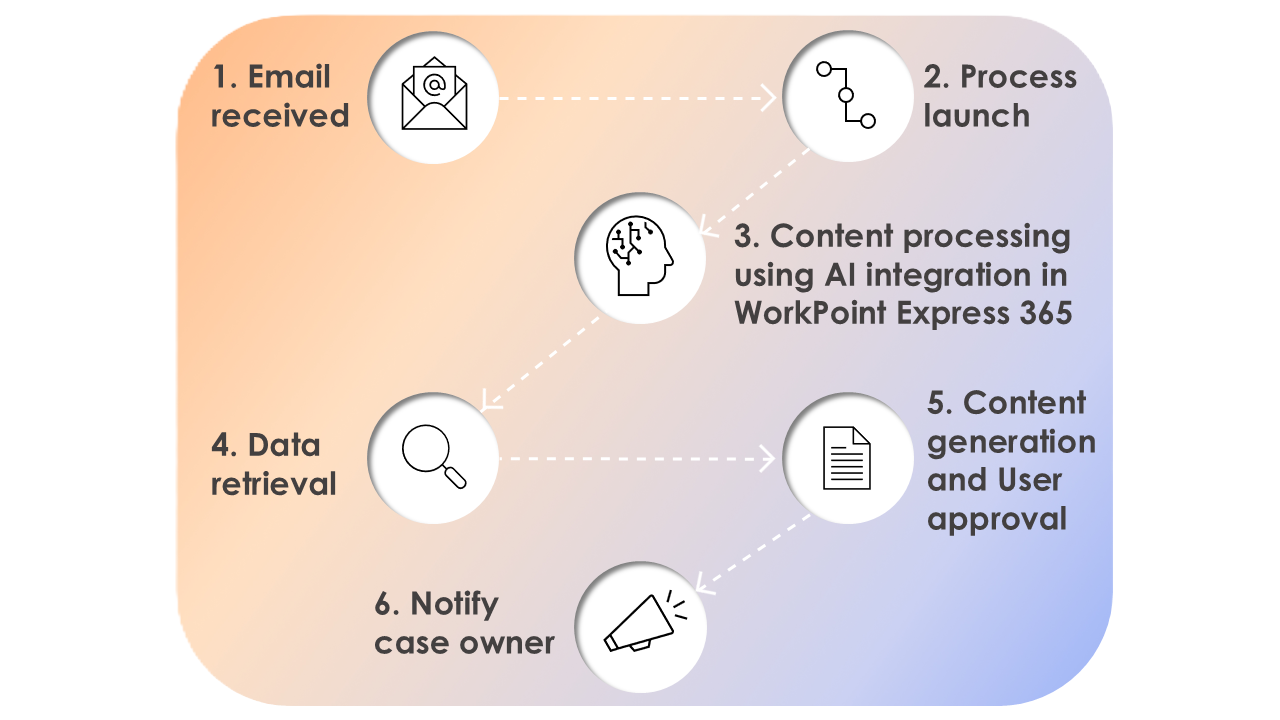
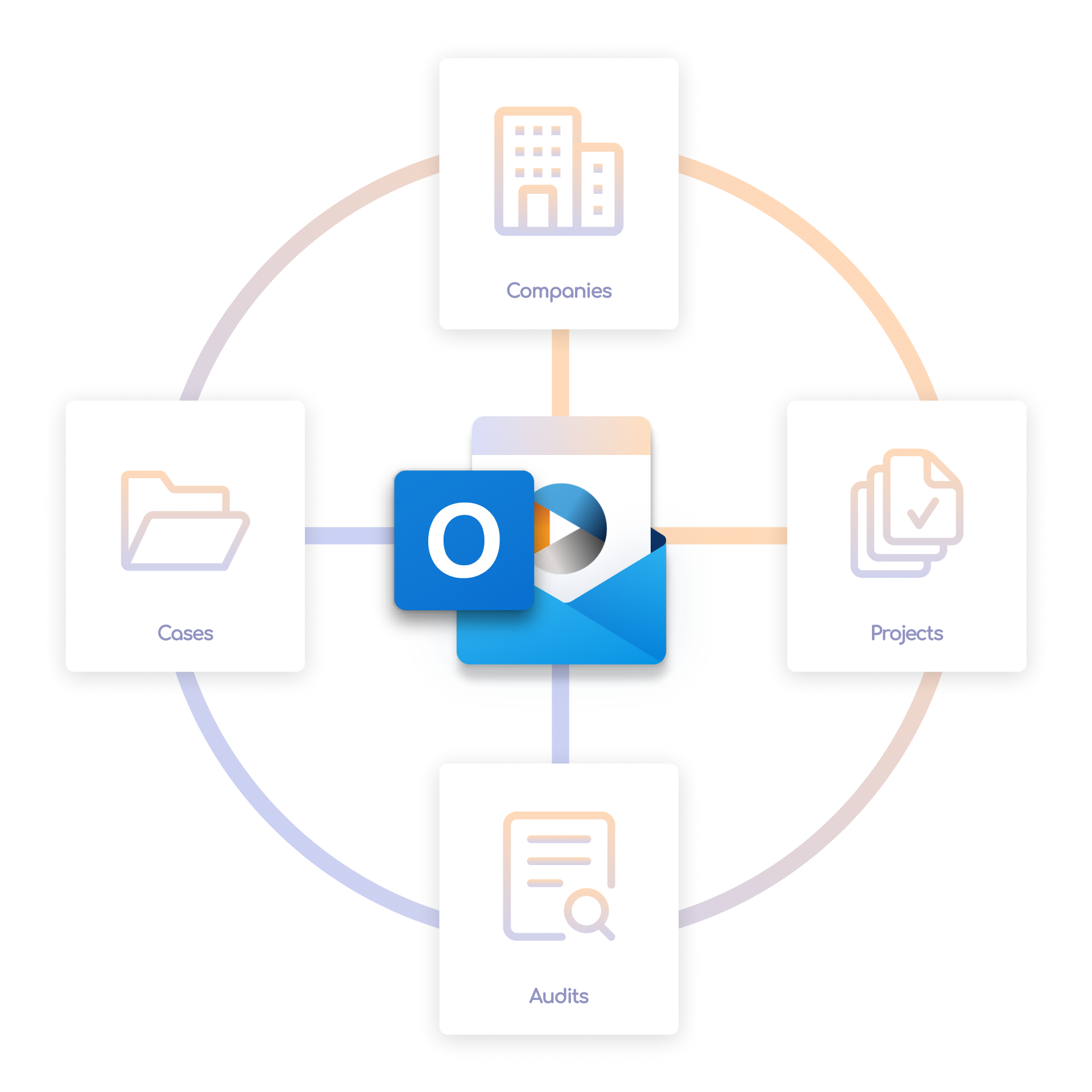
WorkPoint Express 365 is an Outlook add-in that bridges the gap between everyday email work and structured document management. Instead of treating the inbox as a disconnected silo, WPE gives users quick access to cases, projects, and documents — directly from Outlook. Teams can archive emails compliantly, attach documents without switching applications, create new cases from incoming requests, and keep everyone aligned when emails are journalised to WorkPoint.
For organisations already invested in Microsoft 365, WPE extends that investment by embedding governed workflows into the tool people use most: their email client. The product is available on Microsoft AppSource and works across devices.
Email & Attachment Management
Store, search, and collaborate on emails and attachments from one central location — without leaving Outlook.
Cases & Projects
Create and access cases and projects based on incoming emails, capturing critical business context at the point of receipt.
Automated Workflows
Streamline repetitive email tasks with configurable workflows that adapt to different industries and departments.
Compliance & Governance
Ensure emails are archived with the right metadata and structure, supporting regulatory compliance and AI readiness.
My Contribution
I joined the WorkPoint team to strengthen the user-centred foundation of WorkPoint Express. The engagement combined two complementary disciplines: understanding how people actually work with email in enterprise environments, and designing interfaces that make complex document management feel natural inside Outlook.
UX Research
- Conducted user interviews with knowledge workers who rely on Outlook daily — project managers, case handlers, and administrative staff across enterprise clients.
- Mapped current-state email workflows to identify friction points: finding the right filing location, handling attachments, and keeping colleagues informed.
- Ran usability testing sessions on existing and proposed interface flows, uncovering where users hesitated or lost context during email journalising tasks.
- Synthesised findings into actionable recommendations that informed product priorities and design direction.
UI Design
- Designed interface patterns for the Outlook add-in — balancing Microsoft's design language with WorkPoint's product identity.
- Created wireframes and high-fidelity UI for core flows: saving emails to cases, browsing document libraries, and managing attachments.
- Simplified navigation within the constrained Outlook panel space, reducing cognitive load for repetitive daily tasks.
- Collaborated closely with product and engineering to ensure designs were feasible within the Office Add-ins platform.
Designing Inside Outlook
Designing for an Outlook add-in presents unique constraints. The interface lives in a narrow task pane alongside the user's inbox — every pixel matters, and every interaction needs to feel native to the Microsoft 365 ecosystem. My research revealed that users don't want another system to learn; they want their existing email habits to work better. That insight shaped a design approach focused on reducing steps, surfacing context at the right moment, and making compliance feel effortless rather than burdensome.
Working with the WorkPoint team meant balancing the needs of diverse user groups — from project managers creating cases from client emails, to administrators ensuring proper archival — all within a single, cohesive interface.



What I Took Away
- Enterprise email is deeply habitual. Users have strong mental models around how Outlook works. Successful design respects those habits and improves them incrementally rather than asking people to relearn their inbox.
- Research and design reinforce each other. Observing users struggle with filing emails directly informed which UI patterns to prototype and test next — creating a tight feedback loop between insight and interface.
- Platform constraints drive creativity. The limited space of an Outlook task pane forced disciplined design decisions — every element had to earn its place.
Interested in working together?
Let's talk.
Give me a call, send an email, or reach out directly on LinkedIn — whichever works best for you.